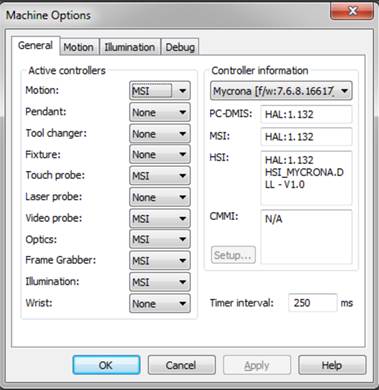
When you run PC-DMIS for the first time after you install the interface, you should run PC-DMIS with administration privileges. This ensures the correct initialization of the registry entries, and the correct settings for the Active Controllers as shown:
Machine Options dialog box showing the default Mycrona DCC interface options
Please note, if you need to configure the machine with a laser probe, the Laser probe setting in the Active controllers area of the Machine Options dialog box should be set to MSI.