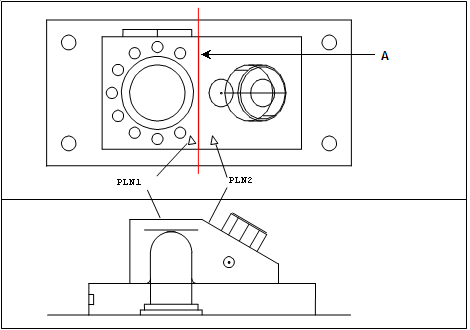
You can construct a line at the intersection of two planes.
To construct an intersect line:
Access the Construct Line dialog box (Insert | Feature | Constructed | Line).
Select the Intersect option.
Enter in the first feature. It must be a plane.
Enter in the second feature. It must be a plane.
Click the Create button.
The Edit window command line for this option would read:
CONSTR/LINE,INTOF,feat_1,feat_2,length
A - Line constructed at the intersection of two planes (PLN1 and PLN2)
Constructing a line from two planes