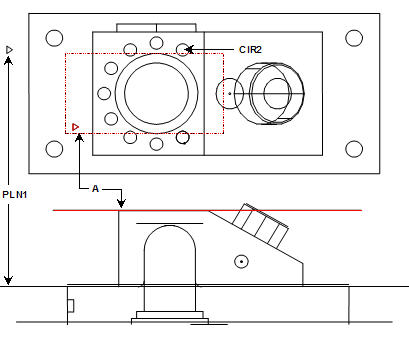
A plane can be constructed parallel to any two features. PC-DMIS creates a plane parallel to the first input feature and passing through the centroid of the second input feature.
To construct a parallel plane:
Access the Construct Plane dialog box (Insert | Feature | Constructed | Plane).
Select the Parallel option.
Select two features of any type.
Click the Create button.
The Edit window command
line for this option would read:
CONSTR/PLANE,PLTO,feat_1,feat_2,
Example 1:
A - Plane constructed parallel to the first feature, a plane (PLN1) and through the second feature, a circle (CIR2)
Constructing a Parallel Plane Using Two Planes
Example 2:
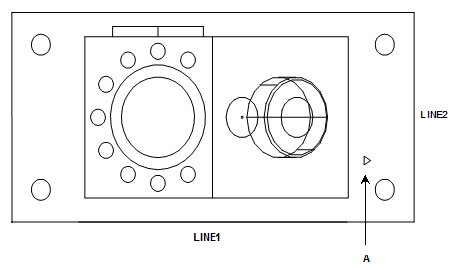
A - Plane constructed through the first feature, a line (LINE1) and parallel to a second line (LINE2)
Constructing a Parallel Plane Using Two Lines