
Use the Simplified mode for the WeightComp command for weights that are uniformly distributed on the support points.
To use this mode, do the following:
In the Mode list, click Simplified to open the WeightComp dialog box.
WeightComp dialog box - Simplified mode
Complete the items in the dialog box.
Item |
Description |
Number of Supports area |
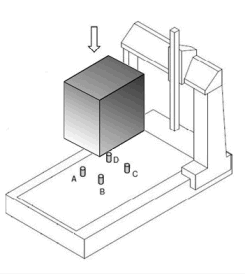
From the list, select the number of support points on which the workpiece is loaded:
|
Point A [units] area Point B [units] area Point C [units] area Point D [units] area (available only when Number of Supports is 4 points) |
([units] reflects the current units set up for PC-DMIS: mm or in) X and Y boxes – Enter the X and Y coordinates of the support points. If an X or Y box is blank, an error symbol |
|
To automatically enter the current position in the X and Y boxes, position the CMM and then click this button. |
Total Weight [units] area |
([units] reflects the current units set up for PC-DMIS: kg or lbs) Select the total weight of the workpiece. The range in the list starts at the minimum relevant weight for the weight compensation and ends at the maximum compensated weight. |
Click OK.
Here is an example of the Edit window for the Simplified mode:

Example of Edit window for Simplified mode
 appears
to the right of the box when you click
appears
to the right of the box when you click 