Example - CreateObject Function
Sub Command1_Click ()
   Dim word6 As Object
   Dim MyName As String
   Set word6 = CreateObject("Word.Basic")
   word6.FileNewDefault
   word6.AppShow
   word6.InsertPara
   word6.Insert "Attn:"
   word6.InsertPara
   word6.InsertPara
   word6.InsertPara
   word6.Insert "Vender Name: "
   word6.Bold 1
   MyName = "Client Name"
   word6.Insert MyName
   word6.Bold 0
   word6.InsertPara
   word6.Insert "Vender Address: "
   word6.InsertPara
   word6.Insert "Vender Product: "
   word6.InsertPara
   word6.InsertPara
   word6.Insert "Dear Vender:"
   word6.InsertPara
   word6.InsertPara
   word6.Insert "     The letter you are reading was created with Cypress Enable."
   word6.Insert " Using OLE Automation, Cypress Enable can call any other OLE enabled"
   word6.Insert "application. Enable is a Basic Scripting Language for applications"
   word6.InsertPara
   word6.InsertPara
   word6.Insert "      Product Name: Cypress Enable"
   word6.InsertPara
   word6.Insert "      Company Name: Cypress Software Inc."
   word6.InsertPara
   word6.InsertPara
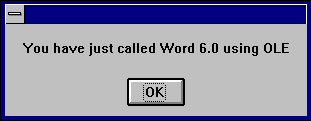
   MsgBox "You have just called Word using OLE"
End Sub
Example output:
Vender Name: Client Name
Vender Address:
Vender Product:
Dear Vender:
The letter you are reading was created with Cypress Enable. Using OLE Automation Cypress Enable, you can call any other OLE enabled application. Enable is a Basic Scripting Language for applications.
Product Name: Cypress Enable
Company Name: Cypress Software Inc.