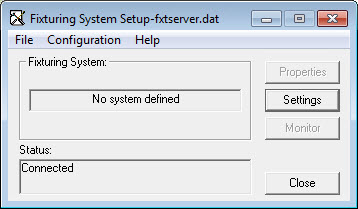
Fixturing System Setup dialog box - No system defined
You must be logged into Windows as an administrator in order to use the FxtServerInterface application to set up the machine and its connection. If you are logged into Windows under a standard user account without administrator privileges, the application will run, but you will not have access to any machine or connection setup functionalities.
To start the Fixturing System Setup application:
Open the folder where PC-DMIS is installed.
In the FiveUnique sub-directory, double-click the "fxtserverinterface.exe" file. This starts the fixture interface server process (FxtServer.exe).
The Properties and Settings buttons define the position and relation of your Flexible Fixturing system for use with PC-DMIS.
For more information on how to set up dual-arm systems, see the "Fixturing Setup for Dual-Arm Systems" topic.
The first time you open this setup application, a fixturing system is not selected.
More:
Opening and Saving Your Fixture Definition