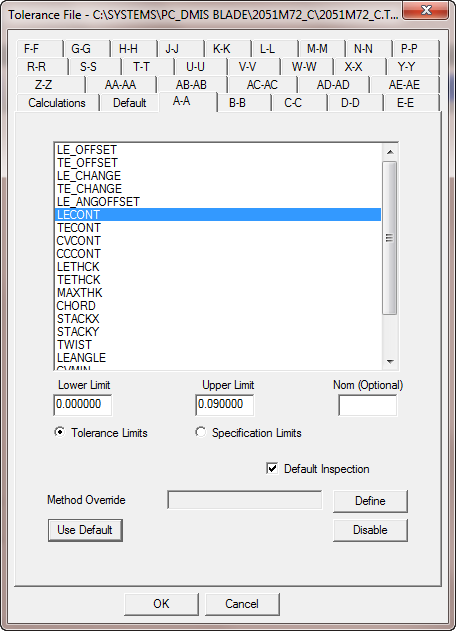
Use the individual section tabs in the Tolerance File dialog box to set the individual tolerance values that are specific to the section. All tolerances use the default values unless you specify values on the individual section tabs.
Tolerance File dialog box - Individual Section tab
For information on the tolerance values that are not listed, see "Setting Default Tolerances".
Default Inspection box - Sets the system default inspection settings.
Method Override box - Displays the method for the selected tolerance calculation.
Define button - Opens the Define Method dialog box:
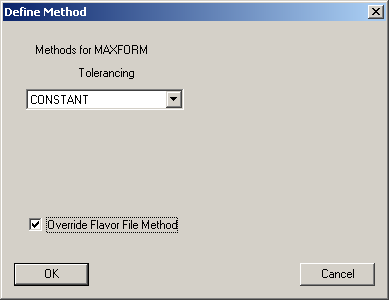
Define Method dialog box
Tolerancing list - Select the method for the selected tolerance type.
Override Flavor File Method check box - If you want the method to override the method that is specified in the Flavor file, select this check box.
Use Default button - Uses the default values for the tolerance of this section.
Disable button - Disables the specific individual settings tab options.