How To Make a Gaging Program
Instructions | ||||
|---|---|---|---|---|
1 | Press the Work Offset button. |
| ||
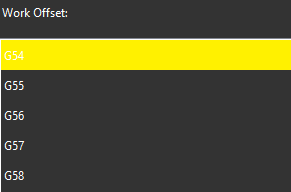
2 | Select a work offset. |
| ||
3 |
| After you select a work offset, press the Execute button and start the monitor macro on the machine. | ||
4 | Press the Move Rotary Axes button. |
| ||
5 |
| Position the probe to a safe rotary height and turn the rotary table to the desired angle and press the Read Position button. | ||
6 |
| Position the probe for an automatic measurement and press OK. | ||
7 | Press the Clearance Plane button. |
| ||
8 |
| Position the probe at a clearance point location (Clearance Height) and press the Read Position button. | ||
9 |
| Press OK to save this position. | ||
10 | To start measuring press the Measure button. |
| ||
11 | Select the desired measurement function. You can find this on the tab at the bottom of the screen. | |||



Note
On Dual-spindle Millturn machines, you must first select the spindle. For details, see "How to Move Rotary Axes".