How To Use the Find Sphere Artifact (Probe Calibration)
Instructions | |||||
|---|---|---|---|---|---|
1 | Press the Find Sphere Artifact button. | ||||
2 | Type the diameter of the calibration ball. | ||||
3 |
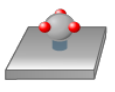
| Position the probe over the sphere in the same direction as the stem and press the Read Position button. |
| ||
4 | If you use Set Probe Length to calibrate the probe length, then select the The probe length has already been calibrated check box. | ||||
5 |
| Position the probe over the sphere and press the Execute button. Then start the monitor macro on the machine. | |||
6 |
| Review the measured data and press OK. | |||



Additional Notes
It is recommended that you calibrate the probe length before you use the Find Sphere. This allows you to use the Find Sphere function to determine the location of the calibration sphere (including the Z location).