How To Measure a Bore
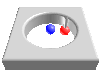
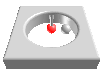
When you use the measuring function for a bore, there may be differences in how the teach-in procedure functions for small bores versus large bores. The function for the small bore works well for bores with a maximum diameter of 100 mm. On larger bores, the measuring function works quicker when reading two points.
Tip
Note that for small bores, you may have to change the search distance.
How To Measure a Small Diameter Bore
Note
Note that the Learn then Measure box is active.
Instructions | ||||
|---|---|---|---|---|
1 |
| Position the probe in the center of the bore and press the Read Position button.
| ||
2 |
| If you need to correct the position, press the Remove Last Position button to cancel the previously read location, then repeat the previous step. | ||
3 |
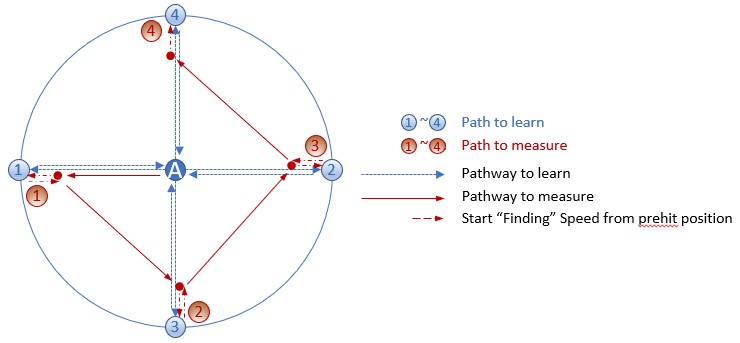
| Press the Execute button and start the monitor macro on the machine. NC Gage takes four points along the blue path (blue positions 1-4 as shown below) to locate the bore. Next, NC Gage measures the bore starting from point A along the red path at four points (red positions 1-4 as shown below) and calculates the measured center of the bore.
| ||
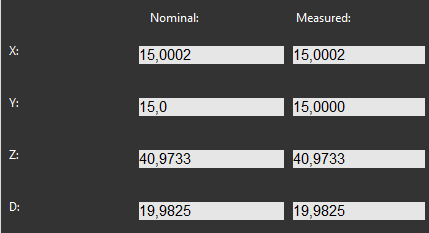
4 | Review the measured values on screen and if necessary, adjust the nominal values.
| |||
5 |
| Press OK to add the command to the measurement program. | ||




How To Measure a Large Diameter Bore
Note
Note that the Learn then Measure box is active.
Instructions | ||||
|---|---|---|---|---|
1 |
| Position the probe in the center of the bore and press the Read Position button.
| ||
2 |
| If you need to correct the position, press the Remove Last Position button to cancel the previously read location, then repeat the previous step. | ||
3 |
| Position the probe closer to one side of the bore and press the Read Position button.
| ||
4 |
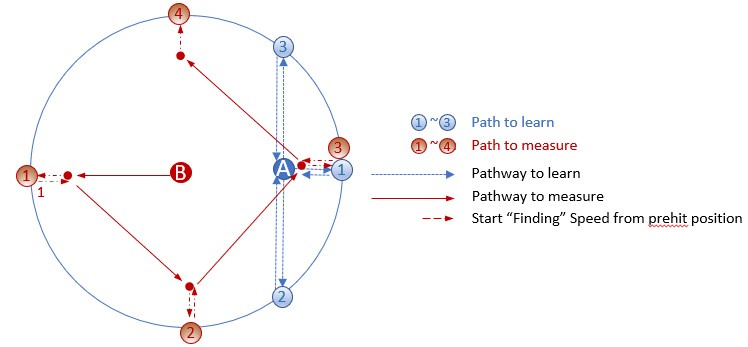
| Press the Execute button and then start the monitor macro on the machine. NC Gage takes four points along the blue path (blue positions 1-4 as shown below) to locate the bore. Next, NC Gage moves the probe to point B and measures the bore along the red path at four points (red positions 1-4 as sown below) and calculates the measured center of the bore.
| ||
5 | Review the measured values on screen and if necessary, adjust the nominal values.
| |||
6 |
| Press OK to add the command to the measurement program. | ||