Rotary Table Calibration Overview
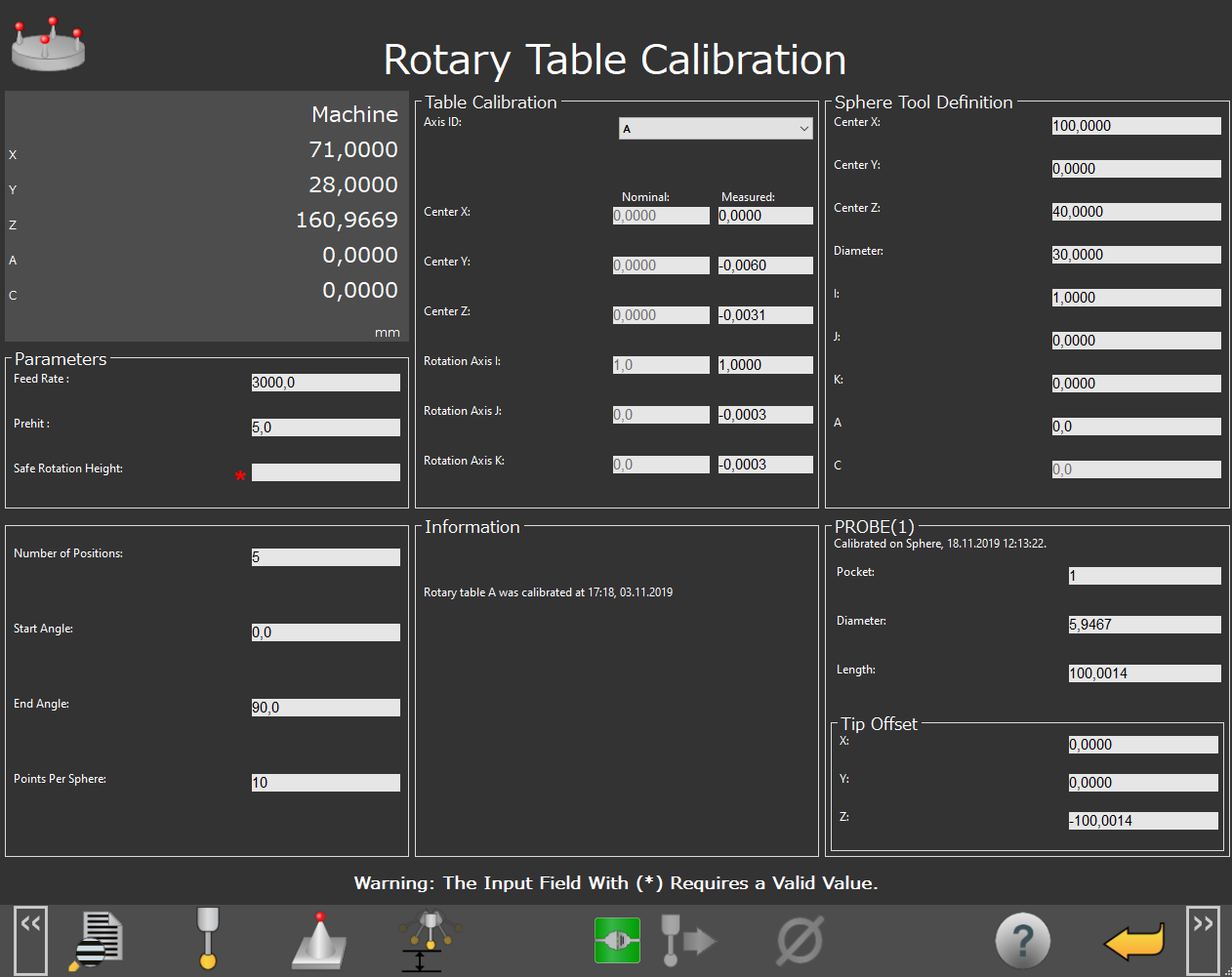 |
Rotary Table Calibration Screen
Screen Layout | ||
|---|---|---|
Machine Position | Table Calibration | Sphere Tool Definition |
Parameters | Information | Probe Information |
Information Messages | ||
Function Menu | ||
Items on this Screen | |
|---|---|
Screen Area | Description |
Machine Position | This area displays the coordinates of the machine. |
Parameters | You can use this area to change the prehit distance or start and end angle values. |
Table Calibration | You can use this area to select axis and review calibration results. |
Information | This area displays calibration information. |
Sphere Tool Definition | This area displays the sphere coordinates. |
Probe Information | This area displays probe information such as the Pocket, Diameter, and Length. |
Information Messages | This area displays user instructions, messages, and relevant information. |
Function Menu | This area shows the functions available for the current screen. |