How To Measure a Sphere
Note
Note that the Learn then Measure box is active.
Instructions | |||||
|---|---|---|---|---|---|
1 |
| Position the probe directly over the center of the sphere and press the Read Position button. |
| ||
2 |
| If at any time you need to correct the position, press the Remove Last Position button to cancel the previously read location, then repeat the previous step. | |||
3 |
| Move the probe to an automatic measurement location and press the Execute button. Start the monitor macro on the machine. NC Gage first measures four points all around the top of the sphere to locate the sphere. NC Gage then measures the sphere with the number of points you set. NC Gage uses a default value of five points to perform this measurement process starting at the equator and ending at the top of the sphere. | |||
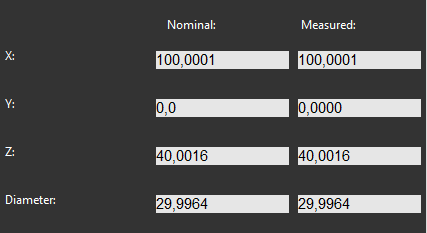
4 | Review the measured values on the screen and make any adjustments to the nominal values if necessary.
| ||||
5 |
| Press OK to add the command to the measurement program. | |||



IMPORTANT
The start and end angles must be at least 20 degrees apart.