Configuring Items on the General Tab
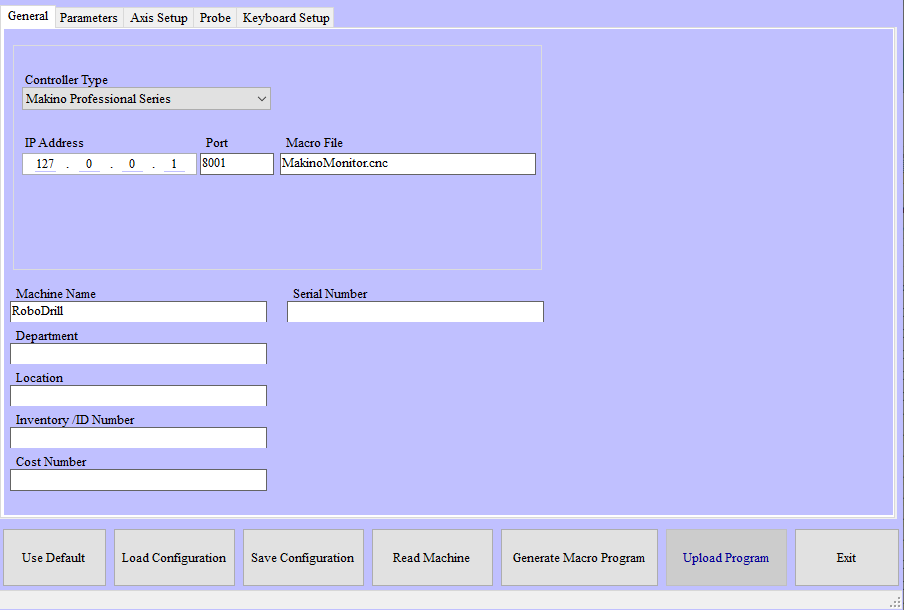 |
NC Gage General tab
Required | |||
|---|---|---|---|
Step | Instructions | ||
1 | Select the controller type: | ||
| |||
2 | Press <Read Machine> to confirm communication with the API
| ||
3 | If pressing <Read Machine> does not successfully connect to the machine:
Then repeat step 5 | ||
Optional | |
|---|---|
* These items are not required for the operation of the software, but may be required for use with certain options or other systems. | |
Macro File | Name of file containing macros generated by Config Tool |
Machine Name | Name of the machine |
Department | Department name of the machine |
Location | Location ID of the machine |
Inventory ID Number | Inventory number of the machine |
Cost Number | Cost number of the machine |
Serial Number | Machine serial number |