Starting the Config Tool
You use the Config Tool to setup the parameters and macros to connect and use NC Gage with your machine.
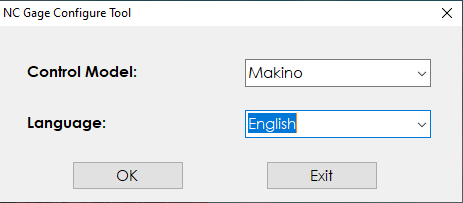 |
NC Gage Configure Tool dialog box
Required | |
|---|---|
Step | Instructions |
1 | Start the NC Gage Config Tool to open the initial NC Gage Configure Tool dialog box. You use this initial dialog box to select the model of the controller and the language for the application. |
2 | Select the model of your controller from the Control Model list. |
3 | Select the language from the Language list. |
4 | Press OK to open the NC Gage Config Tool dialog box. |