How To Set an Offset Using a Bore
When using the Set Offset function for a bore, the teach-in procedure can be used differently for small bores vs large bores. (In this case, a bore is considered small if it is smaller than the search distance specified in the settings).
How To Set an Offset in a Small Diameter Bore
Instructions | |||
|---|---|---|---|
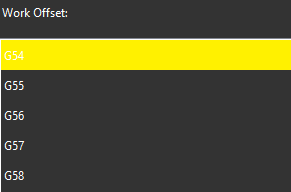
1 | Select the work offset to set.
| ||
2 |
| Position the probe in the center of the bore and press <Read Position>. | |
3 |
| If you need to correct the position, press the <Remove Last Position> to cancel the previously read location, then repeat the previous step. | |
4 |
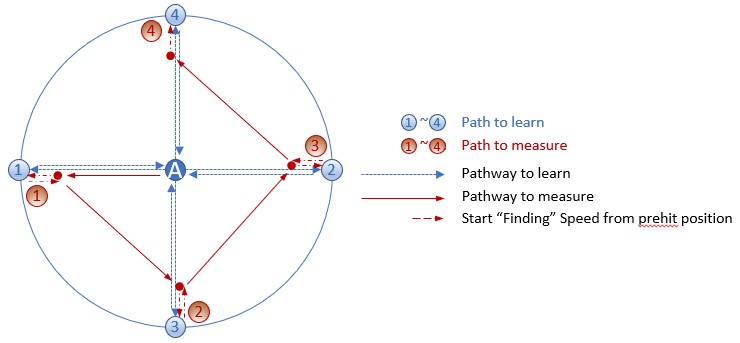
| Click the <Execute> button, then start the monitor macro on the machine. NC Gage locates the Bore by taking four points along the blue path, (blue positions 1-4) as shown below | |
Next, NC Gage measures the bore starting from point A along the red path at four points (red positions 1-4) and calculates the measured center of the bore | |||
| |||
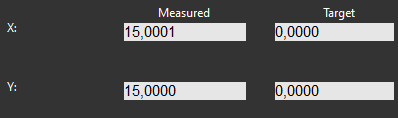
5 | Review the measured values on screen and set the desired target values for the offset.
| ||
6 |
| Press <OK> to set the selected work offset. | |



Additional Notes
Ensure the NC does not show the Work Offset screen.
On some controls, NC Gage cannot write offsets if the screen is open.
How To Set an Offset in a Large Diameter Bore
Instructions | |||
|---|---|---|---|
1 | Select the work offset to set.
| ||
2 |
| Position the probe in the center of the bore and press <Read Position> | |
3 |
| If you need to correct the position, press the <Remove Last Position> to cancel the previously read location, then repeat the previous step. | |
4 |
| Position the probe near one side of the bore and press <Read Position> | |
5 |
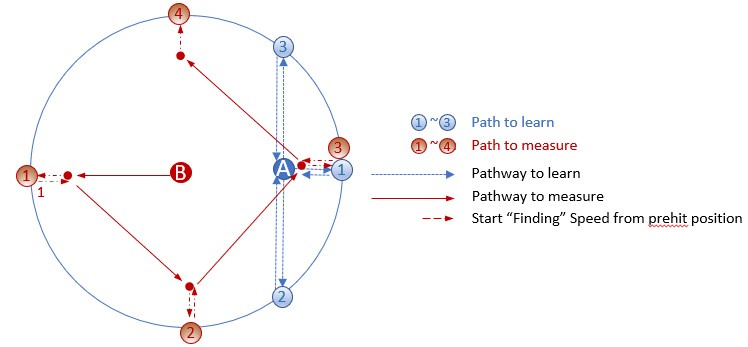
| Click the Execute button, then start the monitor macro on the machine. NC Gage locates the Bore by taking four points along the blue path, (blue positions 1-4) as shown below | |
Next, NC Gage moves the probe to point B and measures the bore along the red path at four points (red positions 1-4) and calculates the measured center of the bore | |||
| |||
6 | Review the measured values on screen and set the desired target values for the offset.
| ||
7 |
| Press <OK> to set the selected work offset. | |
Additional Notes
Ensure the NC does not show the Work Offset screen.
On some controls, NC Gage cannot write offsets if the screen is open.