Edit Measurement Routine Screen Overview
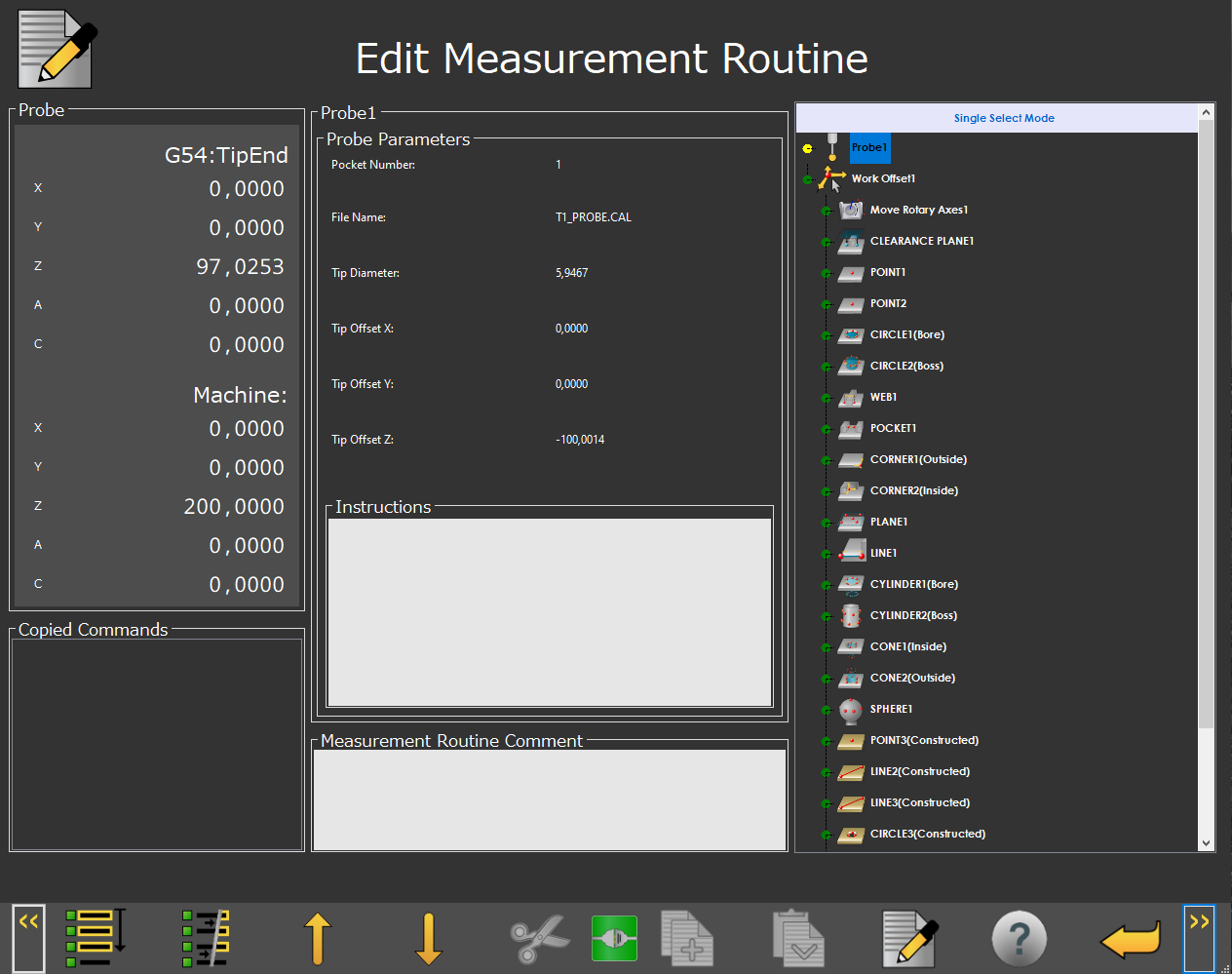 |
Edit Measurement Routine Screen
The Edit Measurement Routine screen allows you to edit a gaging program.
Cut, Copy, Paste, and Delete items in the measurement program.
Edit individual items in the measurement program to change their settings
Screen Layout | ||
|---|---|---|
Counter Display | Feature Information | Active Gaging Program |
Copied Commands | ||
Information Messages | ||
Items on this screen | |
|---|---|
Screen Area | Description |
Counter Display | This area shows the machine position information. |
Feature Information | This area shows the information about the currently selected program item. |
Active Gaging Program | This area shows the current gaging measurement program. |
Copied Commands | This area shows the copied commands. |
Information Messages | This area shows the user instructions, messages, and relevant information. |
Function Menu | This area shows the functions available for the current screen. NoteFor details on the available function icons, see "Edit Screen Icons". |