Select Probe Screen Overview
 |
Select Probe Screen
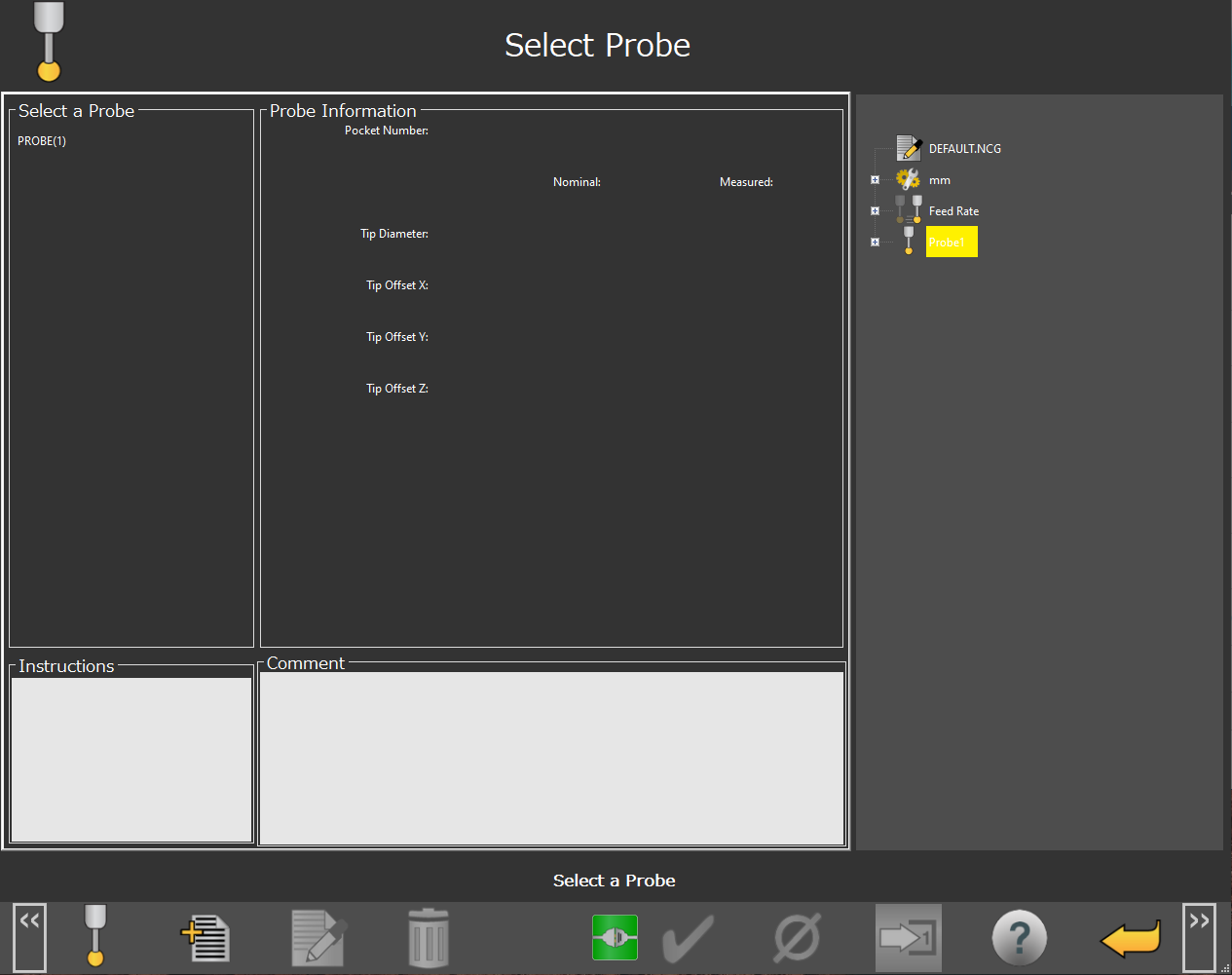
You can use the Select Probe screen to choose which probe you want to use in your NC Gage measurement program.
Screen Layout | ||
|---|---|---|
Probe List | Probe Information | Active gaging program |
Instructions | Comment | |
Information Messages | ||
Function Menu | ||
Items on this Screen | |
|---|---|
Screen Area | Description |
Probe List | This area provides you with a list of available probes to choose from. If no probes are shown, or the probe you would like to use is not displayed, press the Create New Probe button to define a new probe. |
Probe Information | This area shows calibration information about the selected probe. |
Instructions | This area shows information about the probe defined from the Create New Probe function. |
Comments | This area shows user comments for the Select Probe option. |
Active Gaging Program | This area shows the current NC Gage measurement program. After you select the probe, NC Gage inserts it into this measurement program. |
Information Messages | This area shows the user instructions, messages, and any other relevant information. |
Function Menu | This area shows the functions available for the current screen. |
Additional Notes
If you select a probe with a tool number that does not match the tool number of the probe in the spindle, NC Gage shows an error message asking you to load the correct probe.
In this case, please manually load the correct probe with the correct tool number and try again.