How To Measure a Pocket
Note
Note that the Learn then Measure box is active.
Instructions | |||||
|---|---|---|---|---|---|
1 |
| Position the probe next to the first point as shown in the diagram on the right, and then press Read Position button. |
| ||
2 |
| If you need to correct the position, press the Remove Last Position button to cancel the previously read location, then repeat the previous step. | |||
3 |
| Position the probe next to the second point on the same side as shown in the diagram on the right, and then press Read Position button. |
| ||
4 |
| Position the probe next to the point on the opposite side as shown in the diagram on the right, and then press Read Position button. |
| ||
5 |
| Position the probe at a safe position and press the Execute button. Start the monitor macro on the machine. NC Gage uses the three points starting with the first point read in Step 1 and ending with the last point read on the opposite side in Step 4 to locate the pocket. NC Gage then measures the three points in the same sequence and calculates the width of the pocket. | |||
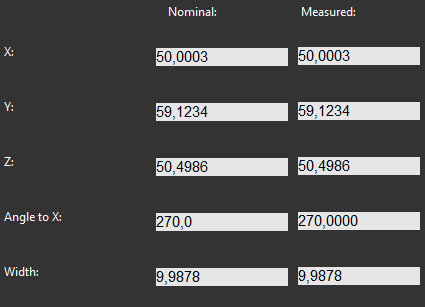
6 | Review the measured values on screen and if necessary, adjust the nominal values.
| ||||
7 |
| Press OK to add the command to the measurement program. | |||