Calibration Values Test Overview
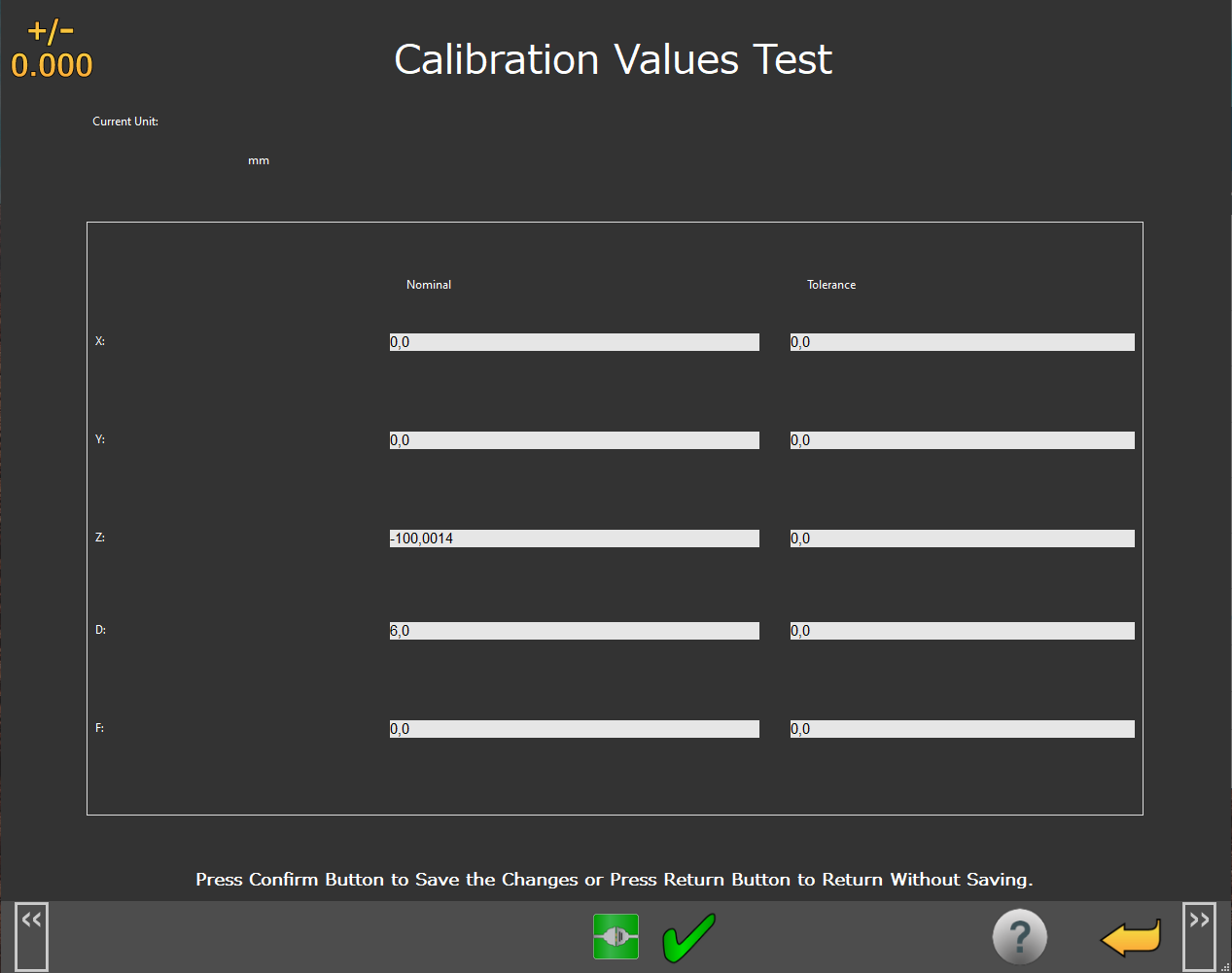 |
Calibration Values Test Screen
You can use the Calibration Values Test screen to set the tolerances for the probe calibration. If during probe calibration, any of these tolerances are exceeded, NC Gage shows a warning message.
Screen Layout |
|---|
Nominal and Tolerance Value input fields |
Information Messages |
Function Menu |
Items on this screen | |
|---|---|
Screen Area | Description |
Application Controls | This area provides application functions that are common to all screens. For details, see "Home Screen Functions". |
Tolerance Value input fields | You can use this area to type in the acceptable tolerance values for the probe calibration. NoteThe values you type in should account for expected probe performance and environment changes. |
Information Messages | This area shows user instructions, messages, and relevant information. |
Function Menu | This area shows the functions available for the current screen. |
Additional Notes
It is recommended that you set a tolerance on the “F” or “Form” result for the probe calibration. Changes in the Form result are often due to a dirty stylus, calibration artifact, loose stylus or artifact, or damage to the probing system.
Changes in the “Z” value of the probe calibration may relate directly to temperature changes in the spindle and/or environment.
Changes in the “X” and “Y” values may be due to bending of the probe stylus, an incorrectly located calibration artifact, or a loose calibration artifact.