NC Server About and Licensing Information
From the main screen, you can view your active license and current version information. To do this, from the lower-right corner of the screen, click the information icon above the Hexagon logo.
 |
Tip
For information on activating an HxGN NC Server license, see "HxGN NC Server Activation".
When you click the information icon, NC Server opens the License Information dialog box.
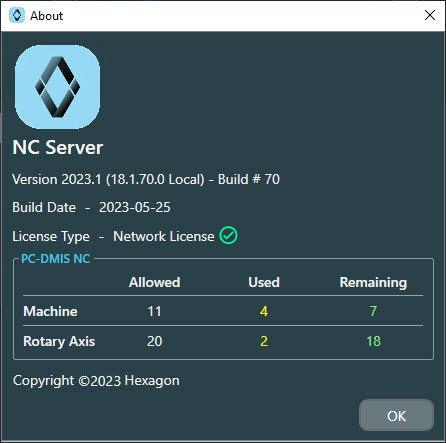
The dialog box shows this information:
Version - This shows the current version.
Build Date - This shows the date the version was built.
License type area - This is typically a Network license type. There is still some limited support available for the older dongle type of license. This shows area of the dialog box shows this information:
Machine - This lists the total number of machine licenses Allowed, Used, and Remaining.
Rotary Axis - This lists the total number of Allowed, Used, and Remaining rotary axes. (Each 5-axis machine requires 2 additional axes).