Work Face Setup Screen Overview
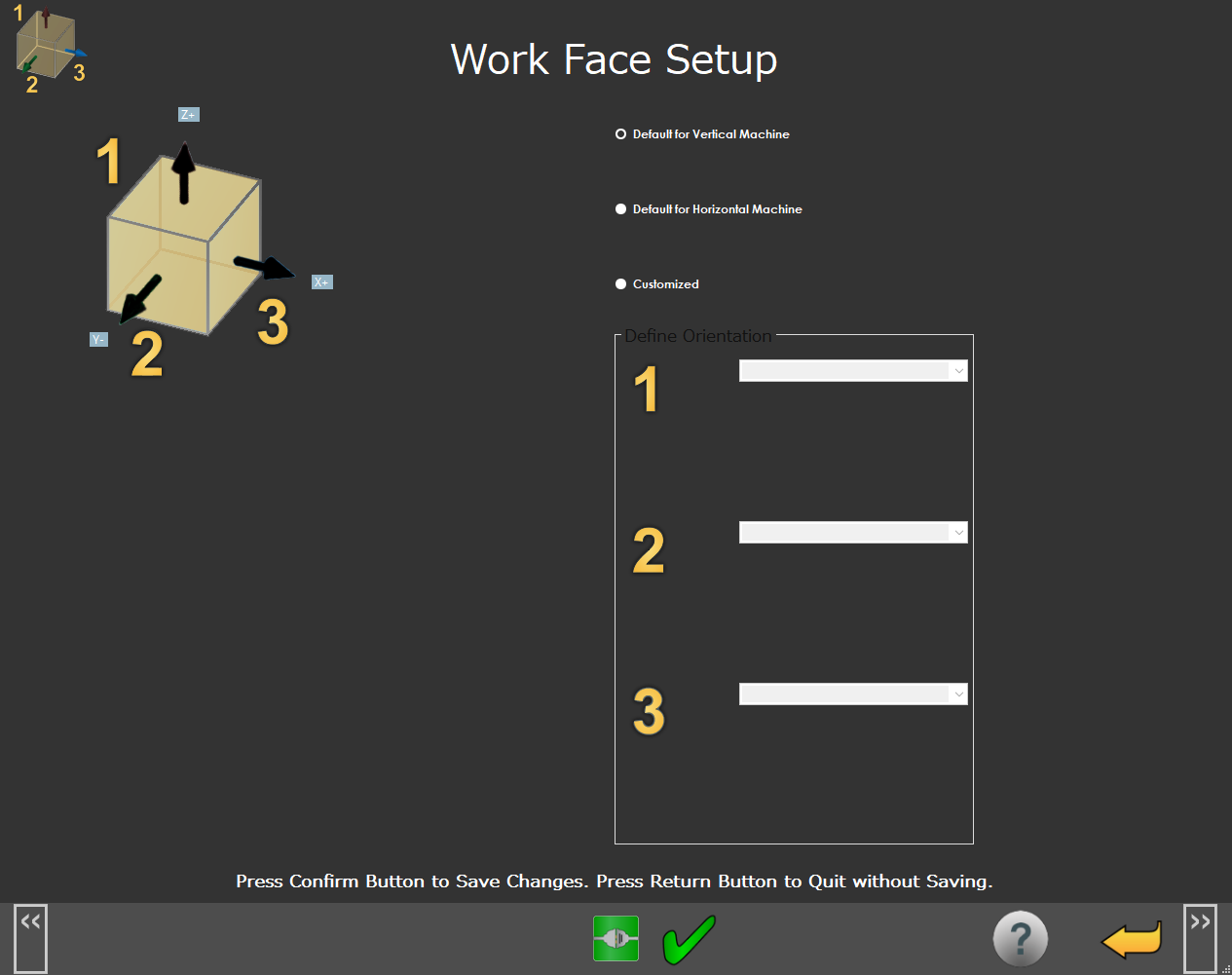
The Work Face Setup screen defines the axis orientation of the machine, and controls how you want to use the Work Face Selection button with functions such as set work offset with point and measure point.
 |
Work Face Setup Screen
Screen Layout |
|---|
Work Face Setup |
Information Messages |
Function Menu |
Items on this screen | |
|---|---|
Screen Area | Description |
Work Face Setup | Use this area to define the orientation of the machine axes. See details below. |
Information Messages | User instructions, messages, and information |
Function Menu | Shows the functions available from the current screen |
Additional Notes
Machine Type | Typical settings | Axis Orientation | |
|---|---|---|---|
Vertical Machining Center | 1 = Z+ 2 = X+ 3 = Y- |
| |
Horizontal Machining Center | 1 = Y+ 2 = X- 3 = Z+ | ||
Multi-tasking Machine | 1 = X+ 2 = Y+ 3 = Z+ |
|
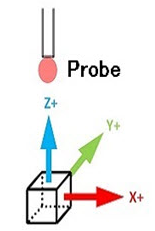
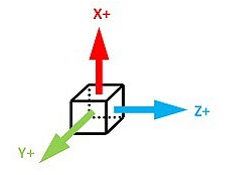
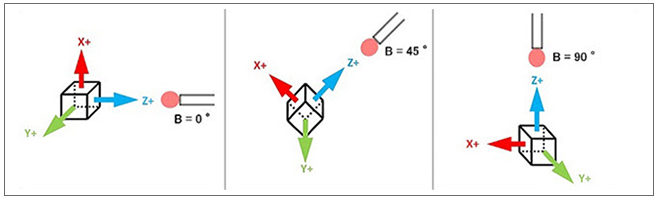
Note that when you measure with a multi-tasking machine, the work face orientation rotates with the B-Axis position so that the Z+ work axis is aligned with the probe axis as in the diagram below:
 |