How To Use the Find Sphere (Rotary Axis)
Instructions | |||||
|---|---|---|---|---|---|
1 | Press the Find Sphere Artifact button. |
| |||
2 |
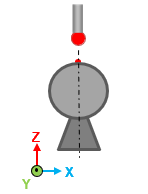
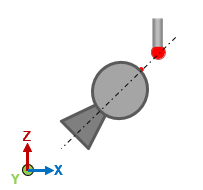
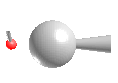
| Position the probe over the sphere in the direction of the stem and press the Read Position button. (See Step 1 in the Additional Notes section below) |
| ||
3 |
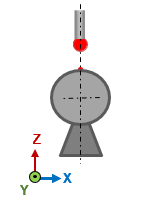
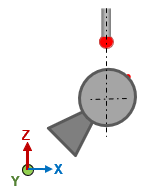
| Position the probe over the pole (Z+) and press the Read Position button. (See Step 2 in the Additional Notes section below) |
| ||
4 |
| Position the probe over the sphere and press the Execute button. Start the monitor macro on the machine. |
| ||
5 |
| Review the measured data and press OK. | |||





Additional Notes
For clarity, here are more examples of the teach-in process:
Step | Step along Z-axis | Stem at 45° | ||
|---|---|---|---|---|
1 |
|
| ||
2 |
|
|